Fill it in on the phone
- Get Effortly from Google Play. It’s free, with no ads and no account needed, for Android 9 and newer.
- Open the form from the app, or choose Open with → Effortly on a PDF in your Files app, an email or Drive. Pictures of forms open too.
- Or scan a paper one. Tap Scan a form and point the camera at it: the page is found, straightened and cropped into a PDF.
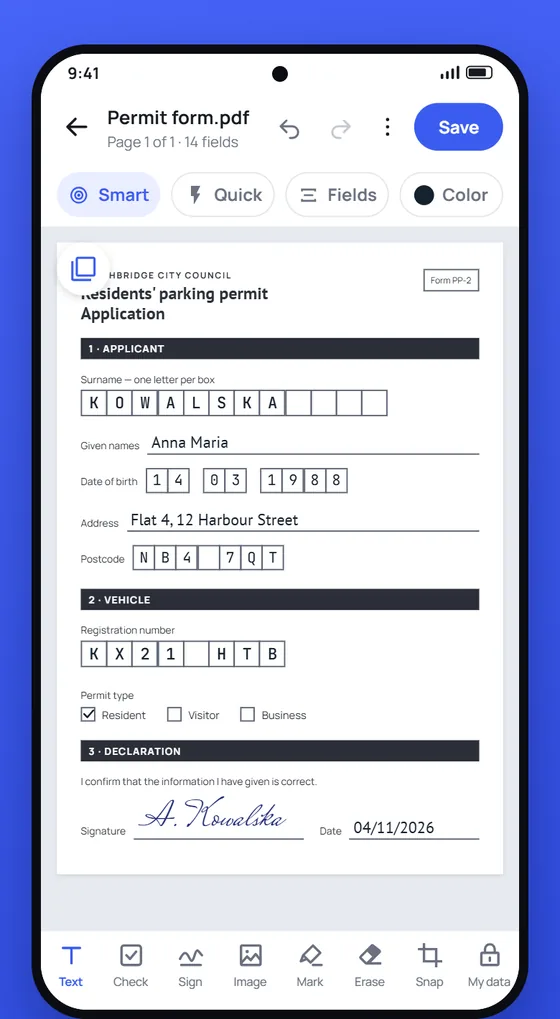
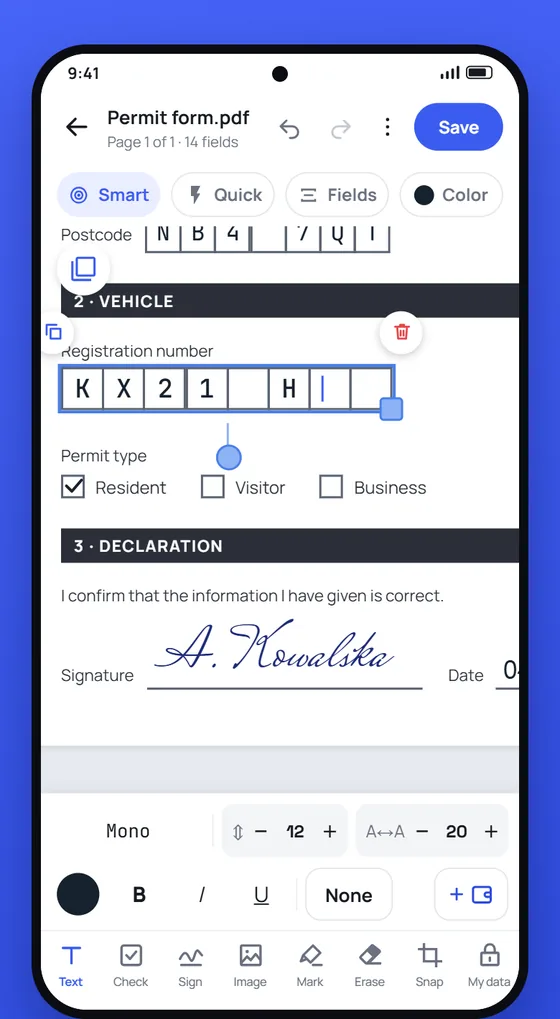
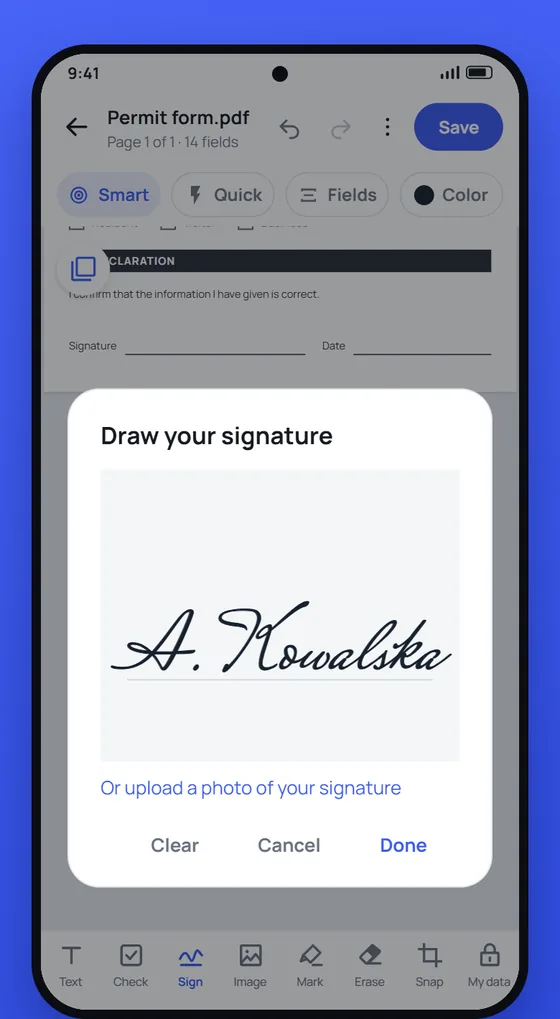
- Tap a line and type. Your text sits on the line at a size that fits, and letter boxes take one character each. With Quick on, tap a square to tick it, or tap near “Signature” to sign.
- Save. Save as… opens Android’s own dialog: keep the PDF on the phone or put it straight into Drive, then attach it to your reply.
Made for a phone screen
- Small moves. The arrow pad moves a selected value one point at a time; the spark in its centre settles it back on the line.
- Your details, one tap away. Keep your name, address, ID numbers and signature in the wallet; a tap fills the field you selected. Unlock it with your fingerprint or face.
- Nothing to lose. Every change is kept as you go. Closed it by mistake, or the app was shut down? Open it again from Your documents, every value still editable.
- Works offline. Opening, filling in, signing and saving don’t need a connection.
Finish it on your computer
Connect your own Google Drive on the phone and on your computer (in Effortly for Windows or the browser), and your ten newest forms are on both, still editable. Keep one open on both, and what you type on the phone appears on the computer within seconds.
Questions
How do I fill in a PDF form on Android for free?
Install Effortly from Google Play, open the form and tap the line you want to fill in. It’s free, with no ads and no sign-up.
Is there an iPhone version?
Not yet. On an iPhone, open geteffortly.com in the browser: the editor works in mobile browsers.
Which Android versions are supported?
Android 9 and newer.
Does the app have ads or trackers?
No ads, no advertising ID and no third-party trackers.
Do I need an account?
No. Signing in with Google is only for syncing through your own Drive.
Try it on your form
Get it on Google PlayUse it in your browserWindows app
Free · No sign-up · No watermark · Works offline · Files stay on your device