Why the boxes never line up
Some PDFs have comb fields that space the characters for you, but most forms with letter boxes are just squares drawn on the page. There’s nothing to type into, so you add a text box and pad it with spaces. It never quite works: letters and spaces have different widths, and the boxes were never measured against your font.
Type the word, Effortly spaces it
- Click the row of boxes and type normally. Each character goes into its own box, evenly spaced across the boxes on the page.
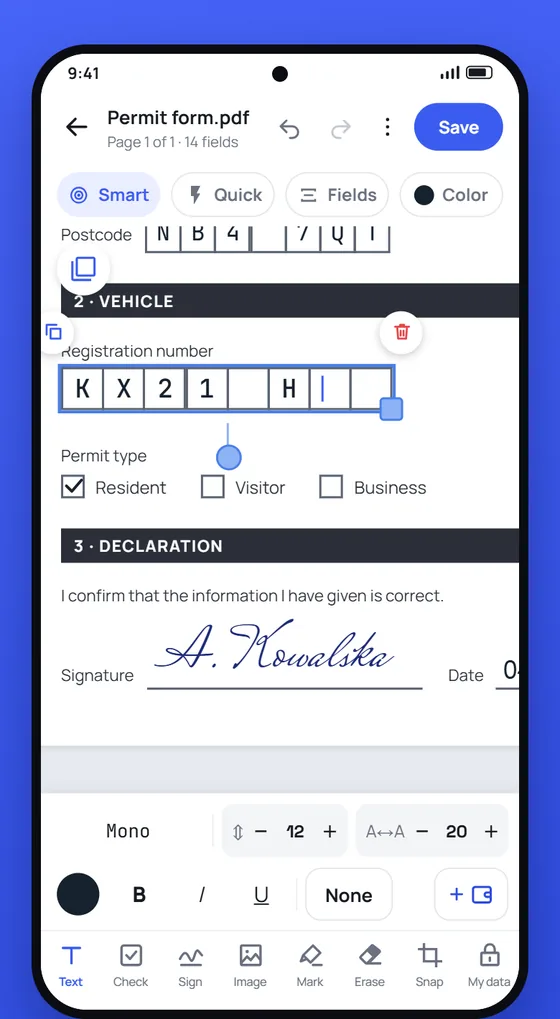
- Spaces stay where you typed them. “KX21 HTB” leaves an empty box between the two parts, just as you’d write it on paper.
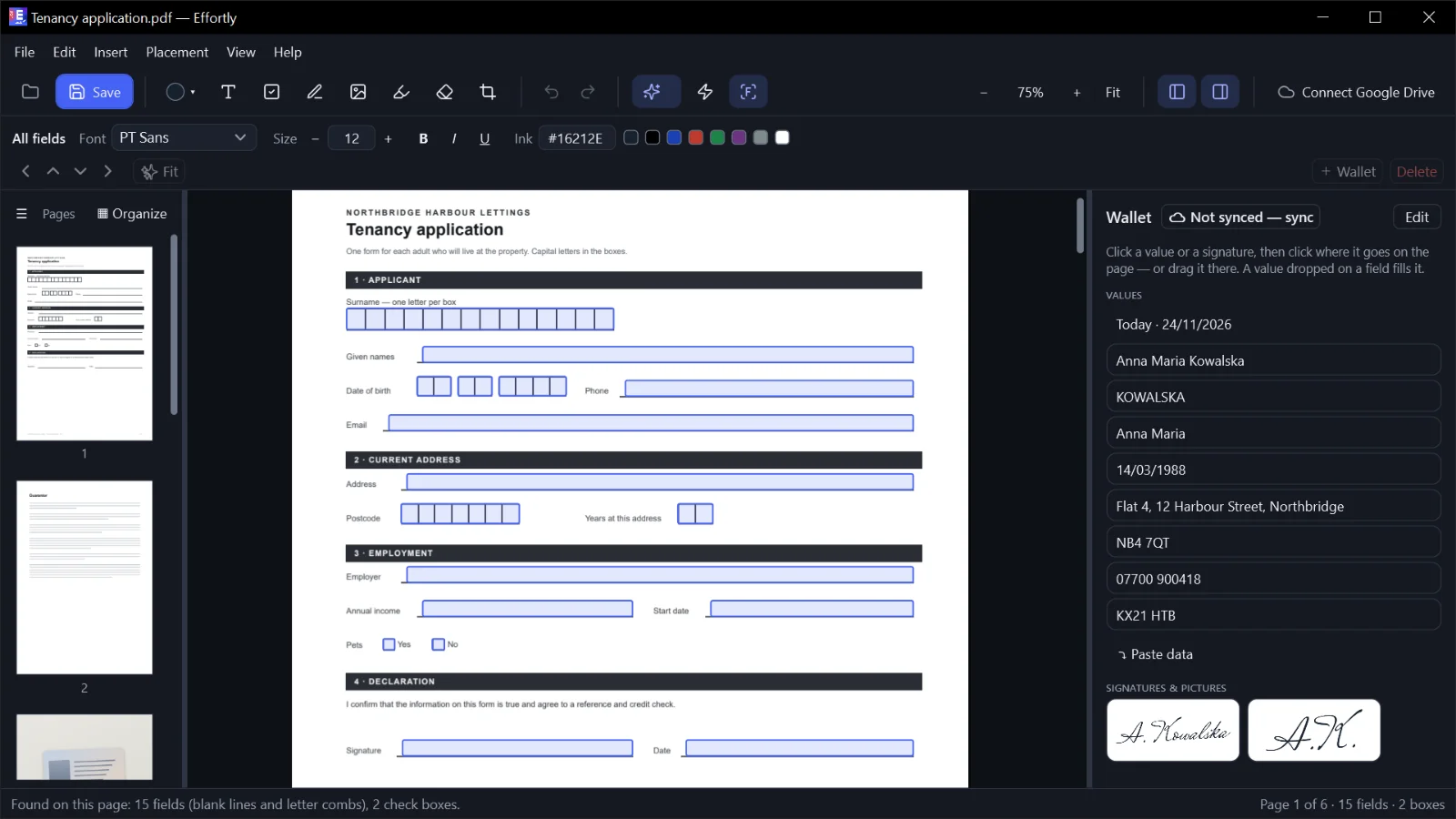
- Dates stay in their groups. Short groups such as the DD and MM of a date are recognised as boxes too, so the day doesn’t spill into the month.
- Your wallet fills boxes as well. Passport number, postcode, surname: one tap and it goes in letter by letter.
- Two values on one row don’t collide. The second one starts after the first, one empty box apart.
- Scans work too. Effortly looks for the boxes in the picture of the page, so a scanned or photographed form behaves like a typed-up one.
A few tips
- Block capitals? Type in capitals. Effortly doesn’t change your letters, it only spaces them.
- Row not picked up? Open the Fields view to see what was found. Very faint boxes or a crooked photo can hide a row; with Smart switched off you can place the text by hand.
- Slightly off? Select the value and use Fit (Ctrl+Shift+F on Windows, the spark on the phone’s arrow pad) to settle it back into the boxes.
Questions
How do I put one letter in each box of a PDF form?
Open the form in Effortly, click the row of boxes and type the whole word. It puts one character in each box, evenly spaced, with no spaces needed to pad it out.
Does it work if the PDF has no comb fields?
Yes. That’s the case it was made for: the boxes only need to be drawn on the page.
Can I use it on a scanned form with boxes?
Yes, as long as the boxes are visible in the scan.
What about date boxes like DD MM YYYY?
Each group is filled on its own, so the day, month and year stay in their own boxes.
Is it free?
Yes, with no sign-up and no watermark.
Try it on your form
Free · No sign-up · No watermark · Works offline · Files stay on your device