Fill it in on your PC
- Get Effortly from the Microsoft Store. It’s free, for Windows 11 and for Windows 10 version 1809 or later.
- Open a form. Drag a PDF or a picture into the window, or open it from the File menu. JPG, PNG, TIFF and the other common picture formats open as forms too.
- Click a line and type. Text lands on the line, letter boxes take one character each, and in Quick mode a click on a square ticks it.
- Save or print. Save an ordinary PDF, or print it straight from Effortly.
Open every PDF in Effortly. Choose Effortly in Settings → Apps → Default apps, or right-click a PDF and pick it under Open with.
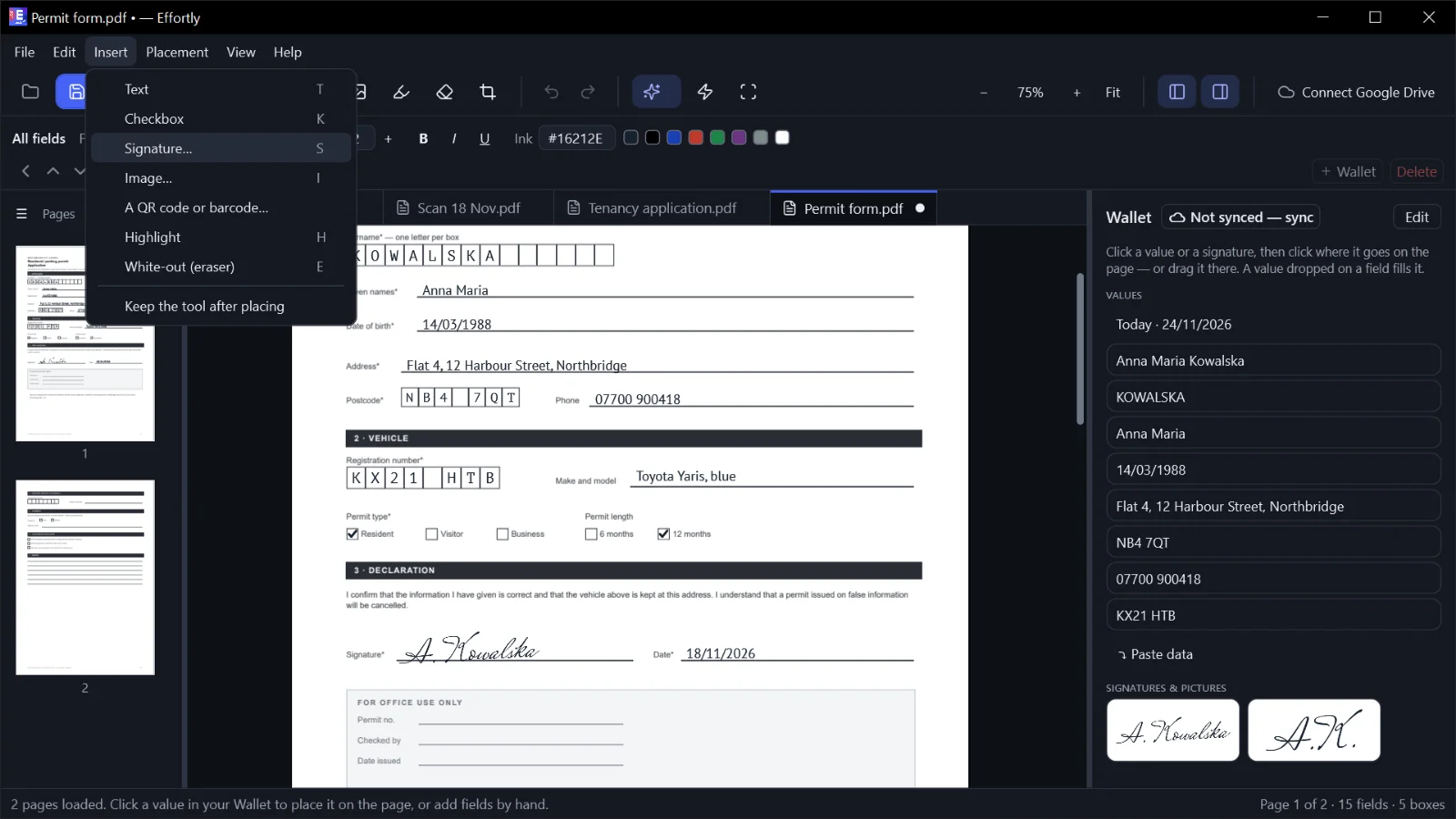
Built for a keyboard and a mouse
- One letter per tool: T for text, K for a checkbox, S for a signature, I for an image, H to highlight, E for white-out.
- Exact placement: the arrow keys move the selected value a point at a time, and Ctrl+Shift+F fits it onto the line or into the boxes under it.
- Several forms at once, each in its own tab.
- Pages: the organizer (Ctrl+Shift+G) reorders, rotates, resizes and deletes pages, and adds pages from another PDF or a picture. File → Compress… shrinks scanned pages.
Your work is kept as you go
Effortly keeps a draft a moment after every change. Closed the window by mistake, or Windows restarted for an update? Open it again from Your documents: every value is still there and still editable, even if you never saved a file.
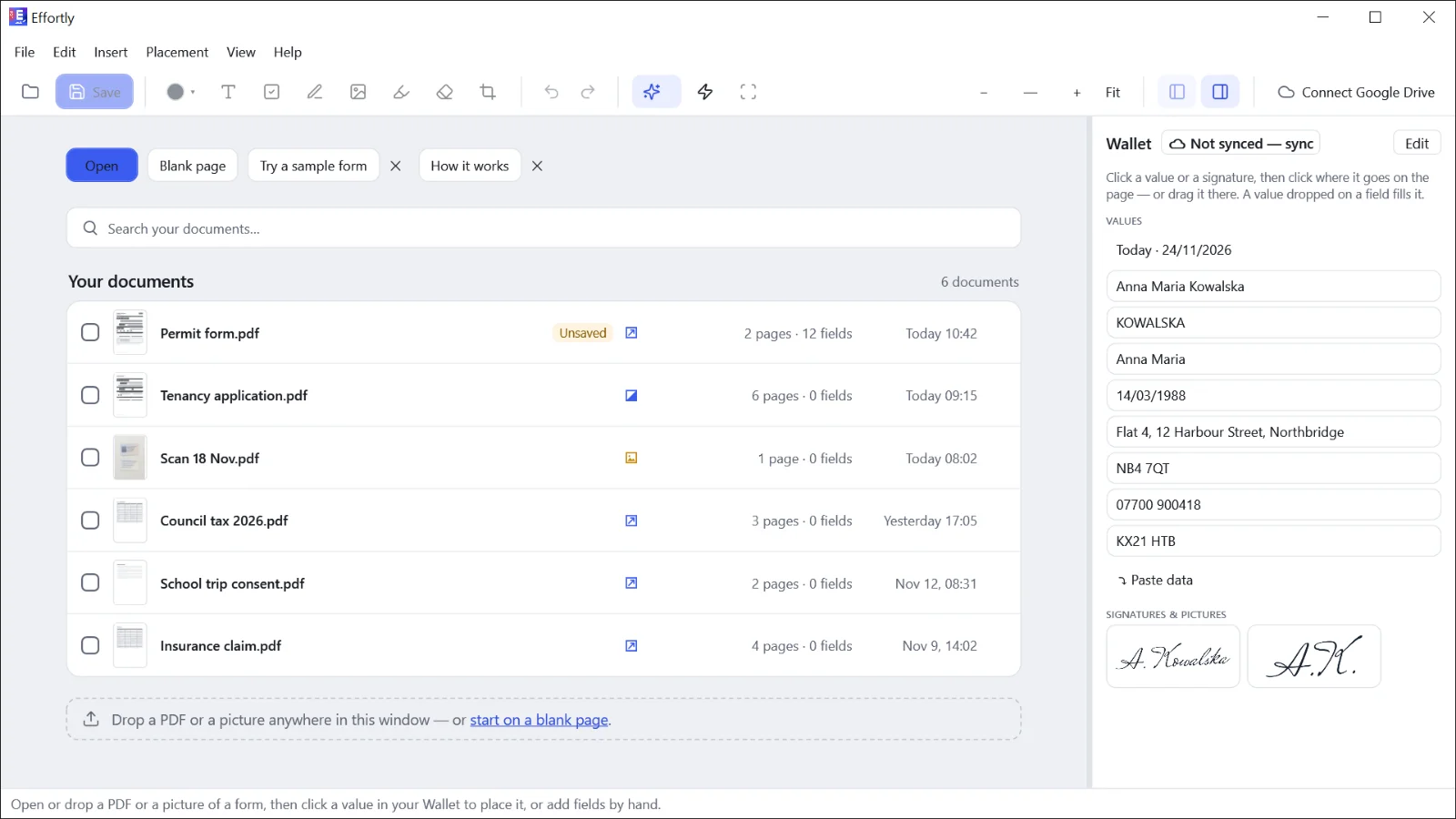
Private, and fine offline
Opening, filling in, signing, saving and printing make no network calls, and your document is never uploaded to us. Your wallet of saved details unlocks with Windows Hello.
Your phone and your PC, one Effortly
Scan a paper form with the Android app and fill it in on the big screen. Connect your own Google Drive on both and your ten newest documents are on both, editable. Keep the same form open on both, and what you type on one appears on the other within seconds.
Questions
What’s a free way to fill in PDF forms on Windows?
Effortly for Windows, from the Microsoft Store: free, no account, no watermark, and it works on forms without fields.
Which versions of Windows does it run on?
Windows 11, and Windows 10 version 1809 or later.
Can Effortly be my default PDF app?
Yes. Choose it in Settings → Apps → Default apps, or under Open with on any PDF.
Does it work without internet?
Yes. Opening, filling in, signing, saving and printing need no connection.
Is there a Mac version?
Not yet. On a Mac, use the browser version at geteffortly.com.
Try it on your form
Free · No sign-up · No watermark · Works offline · Files stay on your device