The short version
Effortly is a free PDF form filler for the web, Android and Windows. Open a form, click on a line and type: your text lands on the lines and in the letter boxes, even on forms without fields and on scans. It runs on your device, so your document isn’t uploaded, and you don’t need an account.
When an e-signature service is the better fit
If you send documents for other people to sign, build reusable templates or work in shared team folders, an e-signature service is built for that. Effortly doesn’t try to do it.
When Effortly is the better fit
- You fill in and sign your own forms: applications, permits, tax and school forms.
- The forms have no fields, are scans or photos, or have rows of letter boxes.
- You’d rather the file never left your device.
- You start on the phone and finish at the computer, or the other way round.
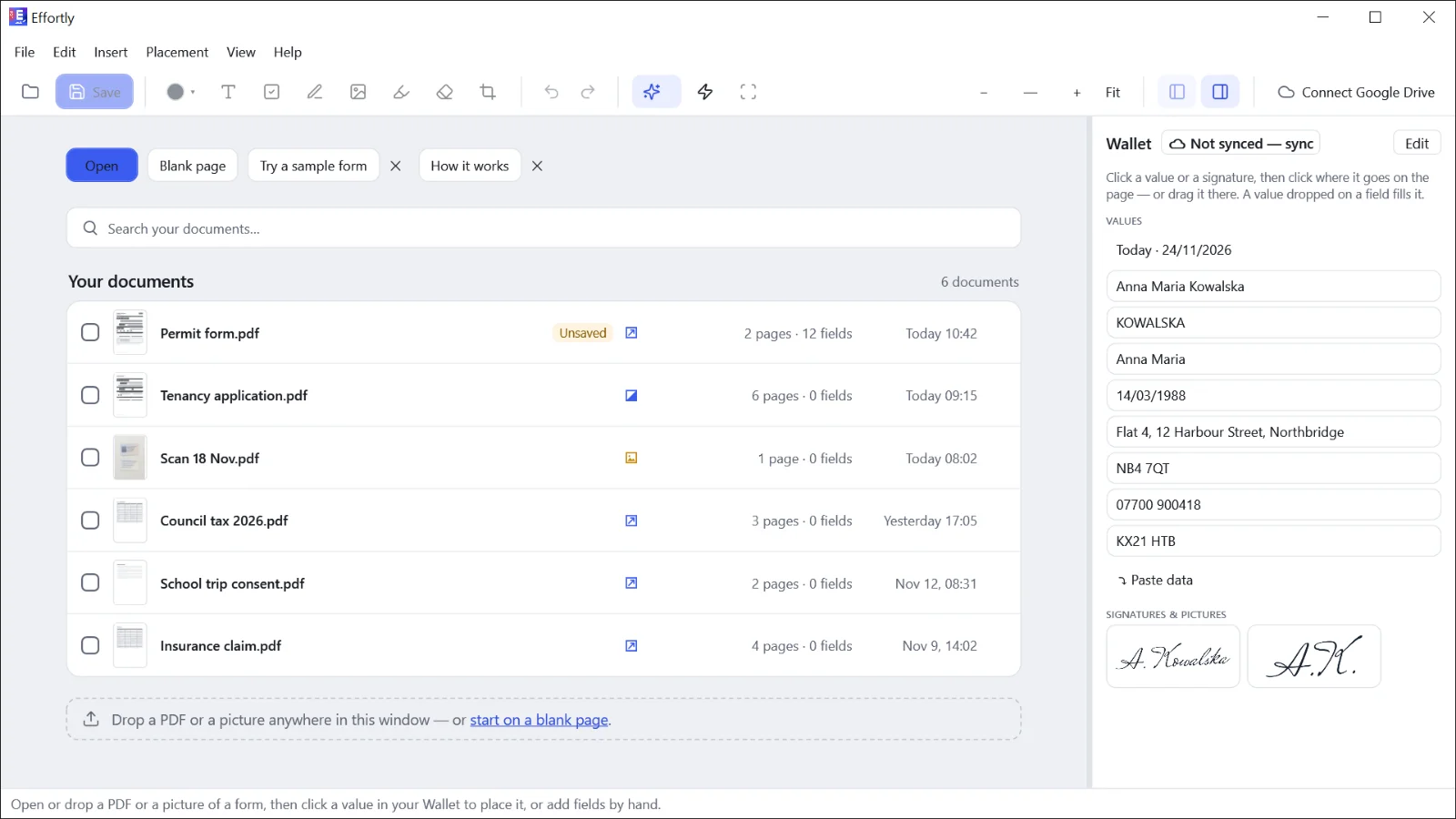
Moving over takes a few minutes
- Open a form at geteffortly.com, or in the Android or Windows app.
- Add your signature to the wallet: draw it, or upload a photo of the one you use.
- Add your details in one go. Paste a block of lines such as “Name: …” and “Passport: …” into the wallet and tick what to keep (on the phone and in the browser).
- Fill in your form and save it.
Why Effortly exists
Effortly started at home. For years, my wife filled in her forms in one of the online PDF editors, until its free plan started limiting how often she could save. We looked for something free that simply fills in forms properly, didn’t find it, and built Effortly.
Questions
Is there a free PDF form filler with no monthly limit?
Yes. For filling in and signing your own PDF forms, Effortly is free, with no monthly limit, no account and no watermark. For sending documents to other people to sign, look at an e-signature service.
Can I open forms I already have?
Yes. Effortly opens any PDF, and photos of paper forms too.
Does Effortly add a watermark?
No. What you save is clean.
Can I sign a PDF for free in Effortly?
Yes. Draw or upload your signature, keep it in the wallet and place it on any form.
Where are my documents kept?
On your device, in Your documents. If you connect your own Google Drive, your ten newest also sync there.
Try it on your form
Free · No sign-up · No watermark · Works offline · Files stay on your device